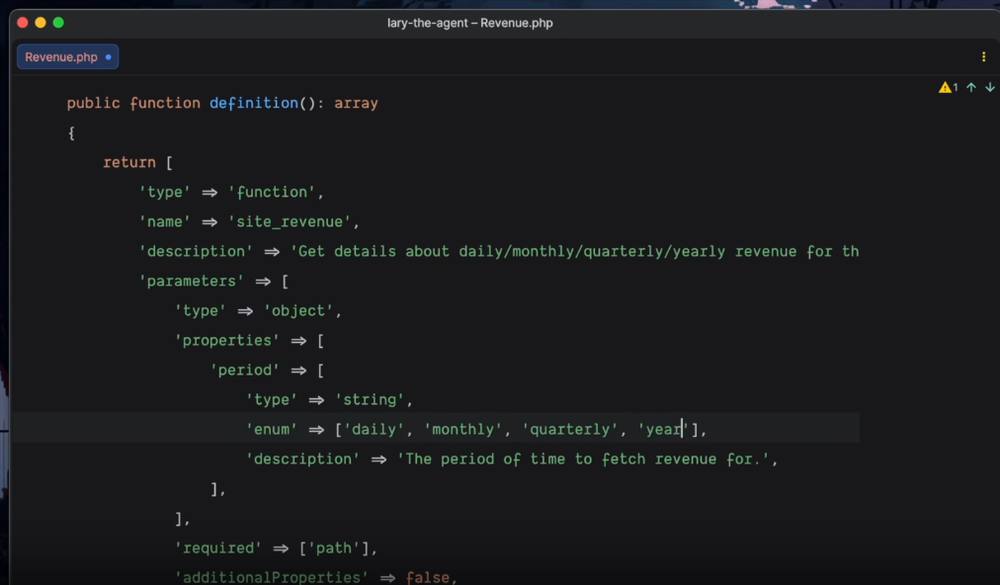
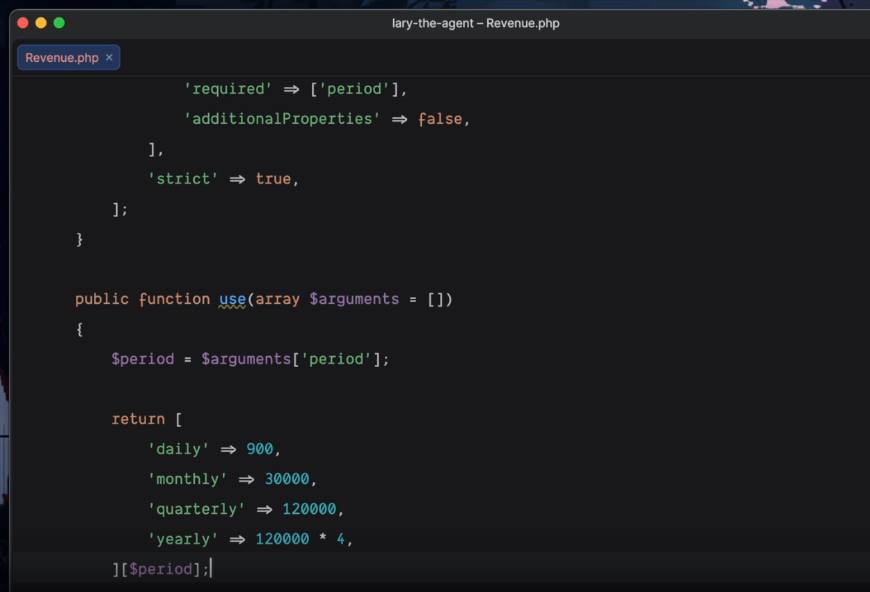
Open AgentCommand.php. Add use App\Ai\Tools\Revenue; to the imports at the top, then change the line inside tools() to this:
Edit · AgentCommand.php → tools()
return [new CurrentTime, new ReadFile, new Revenue];
Prefer to replace the whole file? The complete version is below.
Replace file · app/Console/Commands/AgentCommand.php
<?php

namespace App\Console\Commands;

use App\Ai\Tools\CurrentTime;
use App\Ai\Tools\ReadFile;
use App\Ai\Tools\Revenue;
use App\Ai\Tools\Tool;
use Illuminate\Console\Command;
use Illuminate\Support\Facades\Http;

use function Laravel\Prompts\info;
use function Laravel\Prompts\spin;
use function Laravel\Prompts\text;

// Lesson 5: each tool is its own class; the loop just finds and runs it.
class AgentCommand extends Command
{
    protected $signature = 'agent';

    protected $description = 'Chat with an agent that can use tools';

    protected array $history = [];

    public function handle(): void
    {
        // OUTER loop: your conversation with the agent.
        while (true) {
            $prompt = text('What is on your mind?', required: true);

            $this->history[] = ['role' => 'user', 'content' => $prompt];

            // INNER loop: the agent keeps going until it has an answer.
            while (true) {
                $response = spin(fn () => $this->runModel(), 'Hmm... thinking about that.');

                $this->history = [...$this->history, ...$response['output']];

                // Find every tool the AI wants us to run (there can be several).
                $functionCalls = collect($response['output'])
                    ->filter(fn ($item) => $item['type'] === 'function_call');

                // None? Then the AI has its final answer.
                if ($functionCalls->isEmpty()) {
                    info($this->outputText($response));
                    break;
                }

                $functionCalls->each(function (array $call) {
                    info("Running tool: {$call['name']}");

                    // Find the tool whose name matches the call.
                    $tool = collect($this->tools())
                        ->first(fn (Tool $tool) => $tool->definition()['name'] === $call['name']);

                    // Decode the arguments once, so every tool gets a plain PHP array.
                    $output = $tool
                        ? $tool->use(json_decode($call['arguments'], associative: true) ?? [])
                        : "Error: unknown tool {$call['name']}";

                    $this->history[] = [
                        'type' => 'function_call_output',
                        'call_id' => $call['call_id'],
                        'output' => (string) $output,
                    ];
                });
            }
        }
    }

    // Every tool the agent may use. New tool = new class + one entry here.
    protected function tools(): array
    {
        return [new CurrentTime, new ReadFile, new Revenue];
    }

    protected function runModel(): array
    {
        return Http::withToken(config('services.openai.key'))
            ->post('https://api.openai.com/v1/responses', [
                'model' => config('services.openai.model'),
                'instructions' => 'You are a helpful assistant.',
                'input' => $this->history,
                // Send each tool's definition, not the tool object itself.
                'tools' => array_map(fn (Tool $tool) => $tool->definition(), $this->tools()),
            ])
            ->throw()
            ->json();
    }

    // The first output item is not always a message (it can be a tool call),
    // so collect the text from every message item instead of using [0].
    protected function outputText(array $response): string
    {
        return collect($response['output'])
            ->where('type', 'message')
            ->flatMap(fn ($message) => $message['content'])
            ->where('type', 'output_text')
            ->pluck('text')
            ->implode("\n");
    }
}