TechnicalBuild an agent

Build an agentLesson 1 of 10

Your first AI response

Send one question to OpenAI from an Artisan command and print the answer.

3 min readLesson

Build an agent1

Before you start Finish the Setup section.

You'll learn

  • Explain what an API request to an AI model contains
  • Write an Artisan command that sends a prompt and prints the reply
  • Find the answer text inside the JSON response

How it works

Talking to an AI is an ordinary HTTP request. You POST some JSON to OpenAI, with your API key in the header, and it sends JSON back.

The JSON you send has three parts: the model (which AI to use), the instructions (how it should behave, also called the system prompt) and the input (your message, marked role: user).

The reply is a list called output, because the AI can return several things at once. For now, the answer text sits at output[0].content[0].text.

  • Responses API: POST https://api.openai.com/v1/responses, the endpoint used all course.
  • instructions: How the AI should behave. Sent with every request.
  • input: What you are saying to it.
  • ->throw(): Turns API errors into exceptions so they cannot fail silently.

Step by step

1Generate the command

In your project folder, run:

Run

php artisan make:command ChatCommand

Laravel creates app/Console/Commands/ChatCommand.php.

2Write the command

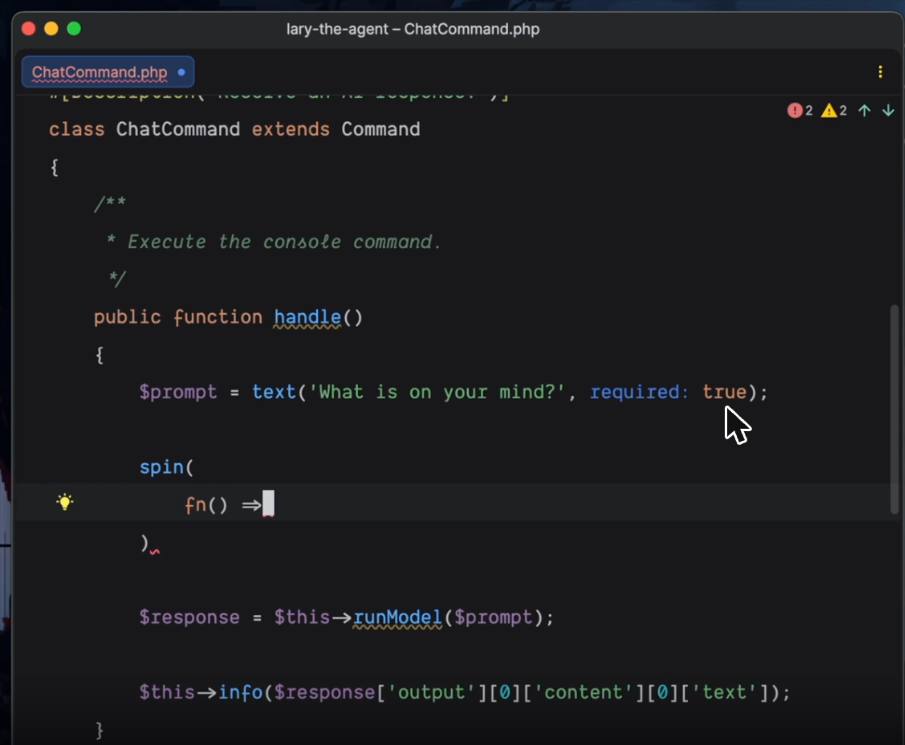
Open the new file, delete everything in it, and paste this in. Read the comments: handle() asks for a prompt, and runModel() sends it to OpenAI.

Replace file · app/Console/Commands/ChatCommand.php

<?php

namespace App\Console\Commands;

use Illuminate\Console\Command;
use Illuminate\Support\Facades\Http;

use function Laravel\Prompts\info;
use function Laravel\Prompts\spin;
use function Laravel\Prompts\text;

// Lesson 1: one question, one answer.
class ChatCommand extends Command
{
    protected $signature = 'chat';

    protected $description = 'Receive an AI response';

    public function handle(): void
    {
        $prompt = text('What is on your mind?', required: true);

        $response = spin(
            fn () => $this->runModel($prompt),
            'Hmm... thinking about that.'
        );

        // Naive: assumes the first output item is the text message.
        info($response['output'][0]['content'][0]['text']);
    }

    protected function runModel(string $prompt): array
    {
        return Http::withToken(config('services.openai.key'))
            ->post('https://api.openai.com/v1/responses', [
                'model' => config('services.openai.model'),
                'instructions' => 'You are a helpful assistant.',
                'input' => [
                    ['role' => 'user', 'content' => $prompt],
                ],
            ])
            ->throw()
            ->json();
    }
}
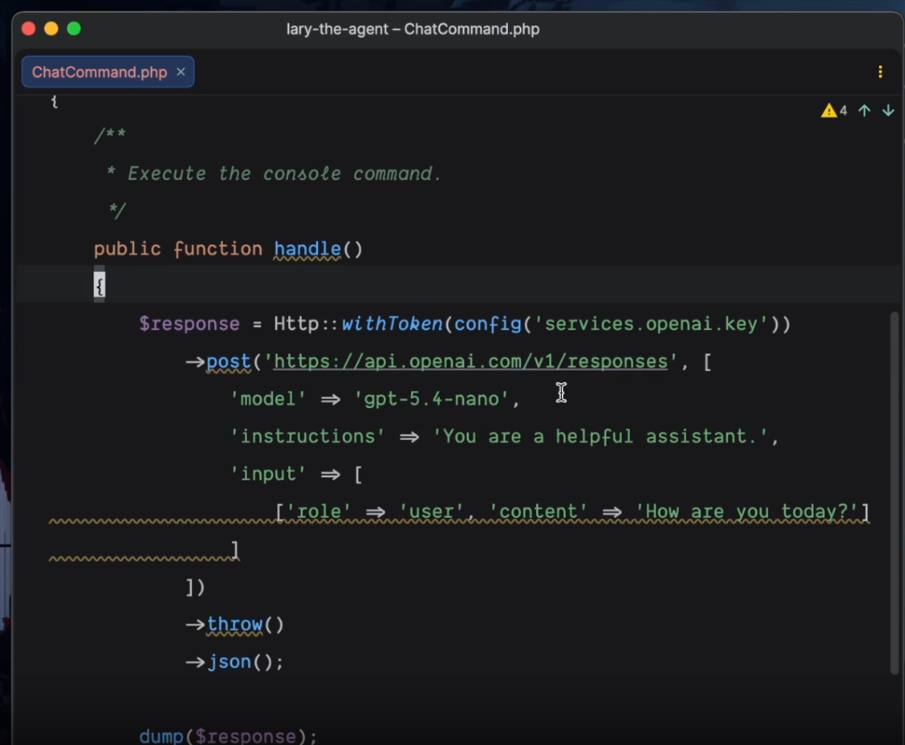
The first raw HTTP request: model, instructions and input.
The first raw HTTP request: model, instructions and input.

Made interactive with text() and tidied into runModel().

Made interactive with text() and tidied into runModel().

3Run it

Start the command. Type a question and press Enter.

Run

php artisan chat

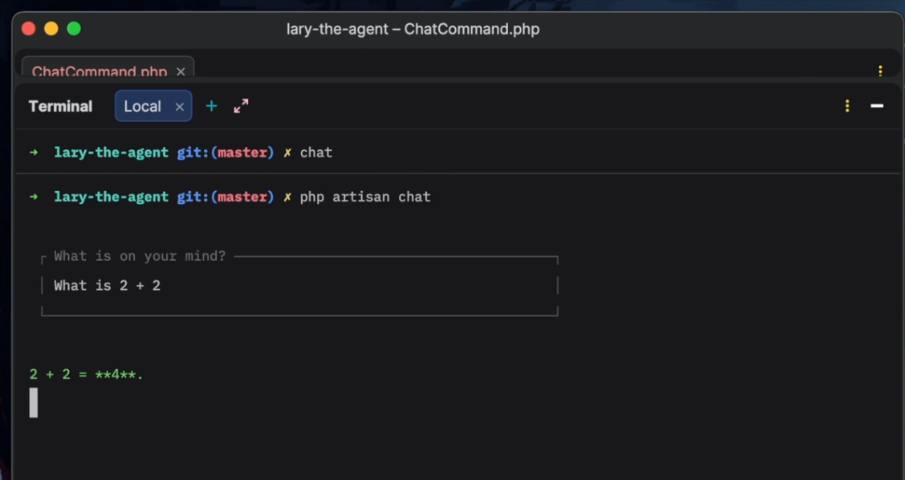
Running php artisan chat in the terminal.

Running php artisan chat in the terminal.

Check your work

Run php artisan chat and type:

What is 2 + 2?

You should see

A spinner, then 4 (or a short sentence saying so) printed in green.

If it doesn’t work

  • 401 Unauthorized: The key is missing or wrong. Check .env, then run php artisan config:clear.
  • Command "chat" is not defined: Check that $signature is 'chat' and the file is saved.
  • Want to see the raw reply?: Add dump($response); on the line before info().

Check yourself

1Splinter is laying down the rules for Leo. Which part of the request tells the AI how to behave?

Reveal answer

✓ Answer

The instructions. The input is what you say to it.

2Leo’s reply comes back as a list called output, not one string. Why?

Reveal answer

✓ Answer

Because one reply can contain several items: a message, a request to run a tool, reasoning notes and so on.