TechnicalBuild an agent

Build an agentLesson 2 of 10

Have a conversation

Keep a conversation going so the AI remembers what you said earlier.

3 min readLesson

Build an agent2

Before you start Finish Lesson 1. This lesson changes files from it.

You'll learn

  • Explain why the AI forgets everything between requests
  • Keep a $history array and send it every time
  • Loop forever with while (true) to make a chat

How it works

The AI has no memory. Every request starts from a blank page. So your code keeps the conversation in an array called $history and sends the whole thing each time.

Each turn has three moves: add your message to the history, send the history, then add the AI’s reply ($response['output']) to the history too.

Wrap that in while (true) and you have a chat that keeps asking “What is on your mind?”. This loop is half of what makes an agent.

  • History: The array holding the whole conversation. If something is not in it, the AI does not know it.
  • role: user for your messages, assistant for the AI’s.
  • [...$a, ...$b]: Joins two arrays into one, like array_merge.

Step by step

1Generate the command

Leave ChatCommand as it is. Make a new command for this lesson:

Run

php artisan make:command DialogCommand

2Write the command

Replace the contents of the new file with this. Compare it to Lesson 1: the input is now the whole $this->history array, and everything sits inside a loop.

Replace file · app/Console/Commands/DialogCommand.php

<?php

namespace App\Console\Commands;

use Illuminate\Console\Command;
use Illuminate\Support\Facades\Http;

use function Laravel\Prompts\info;
use function Laravel\Prompts\spin;
use function Laravel\Prompts\text;

// Lesson 2: keep the history so the AI remembers the conversation.
class DialogCommand extends Command
{
    protected $signature = 'dialog';

    protected $description = 'Converse with OpenAI';

    protected array $history = [];

    public function handle(): void
    {
        while (true) {
            $prompt = text('What is on your mind?', required: true);

            $this->history[] = ['role' => 'user', 'content' => $prompt];

            $response = spin(fn () => $this->runModel(), 'Hmm... thinking about that.');

            $this->history = [...$this->history, ...$response['output']];

            info($response['output'][0]['content'][0]['text']);
        }
    }

    protected function runModel(): array
    {
        return Http::withToken(config('services.openai.key'))
            ->post('https://api.openai.com/v1/responses', [
                'model' => config('services.openai.model'),
                'instructions' => 'You are a helpful assistant.',
                'input' => $this->history,
            ])
            ->throw()
            ->json();
    }
}
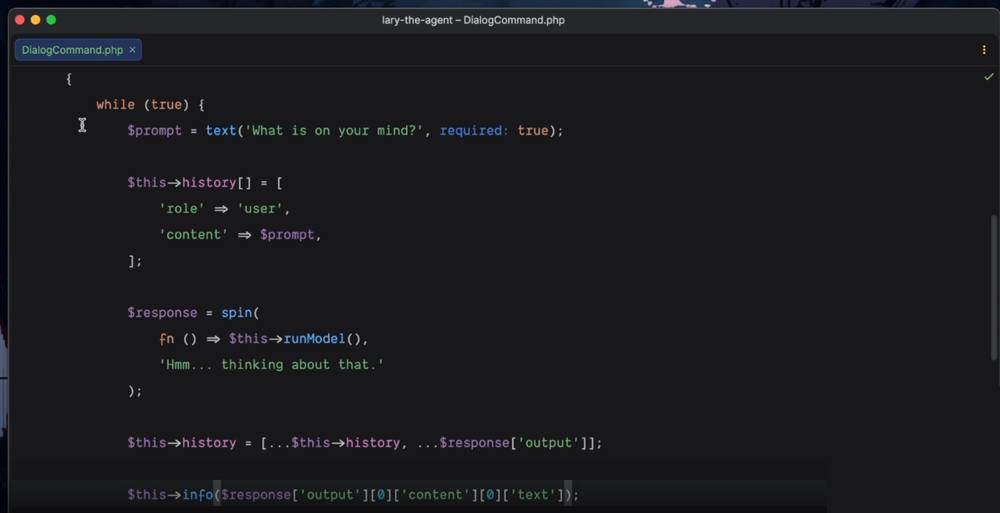
The while (true) loop: prompt, add to history, run the model, add the reply.
The while (true) loop: prompt, add to history, run the model, add the reply.

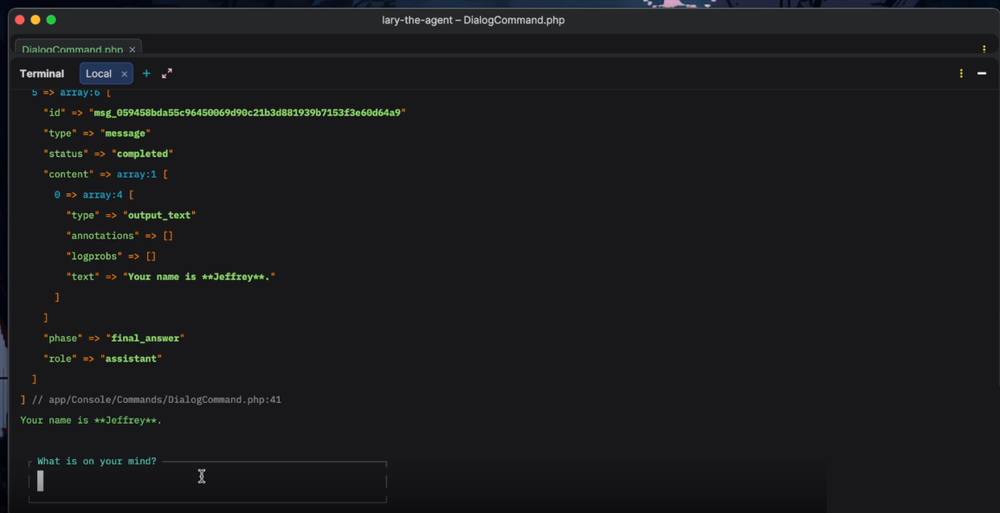
Dumping the history: the assistant reply is now stored too.

Dumping the history: the assistant reply is now stored too.

3Run it

Start the chat. It keeps asking for input until you stop it with Ctrl + C.

Run

php artisan dialog

Check your work

Run php artisan dialog and type:

Call me Jeffrey. Then, as a second message: What is my name?

You should see

It answers Jeffrey, because your first message is still in the history.

If it doesn’t work

  • It does not remember your name: Check you add both your message and the reply to $this->history, and that input is $this->history.
  • How do I quit?: Press Ctrl + C. A proper “exit” command arrives in Lesson 6.

Check yourself

1April told Leo her name, then asked again two messages later. Where does that memory of the conversation actually live?

Reveal answer

✓ Answer

In your $history array. The AI only knows what you send it.

2Leo and Mikey keep arguing about pizza toppings. What happens to the cost of each request as the conversation gets longer?

Reveal answer

✓ Answer

It goes up, because the whole history is sent every time. Lesson 8 deals with this.